Your profile is your personal account within your organisation. This is separate from restriction profiles (which define what gets blocked) — here, “profile” means you.

What you can manage

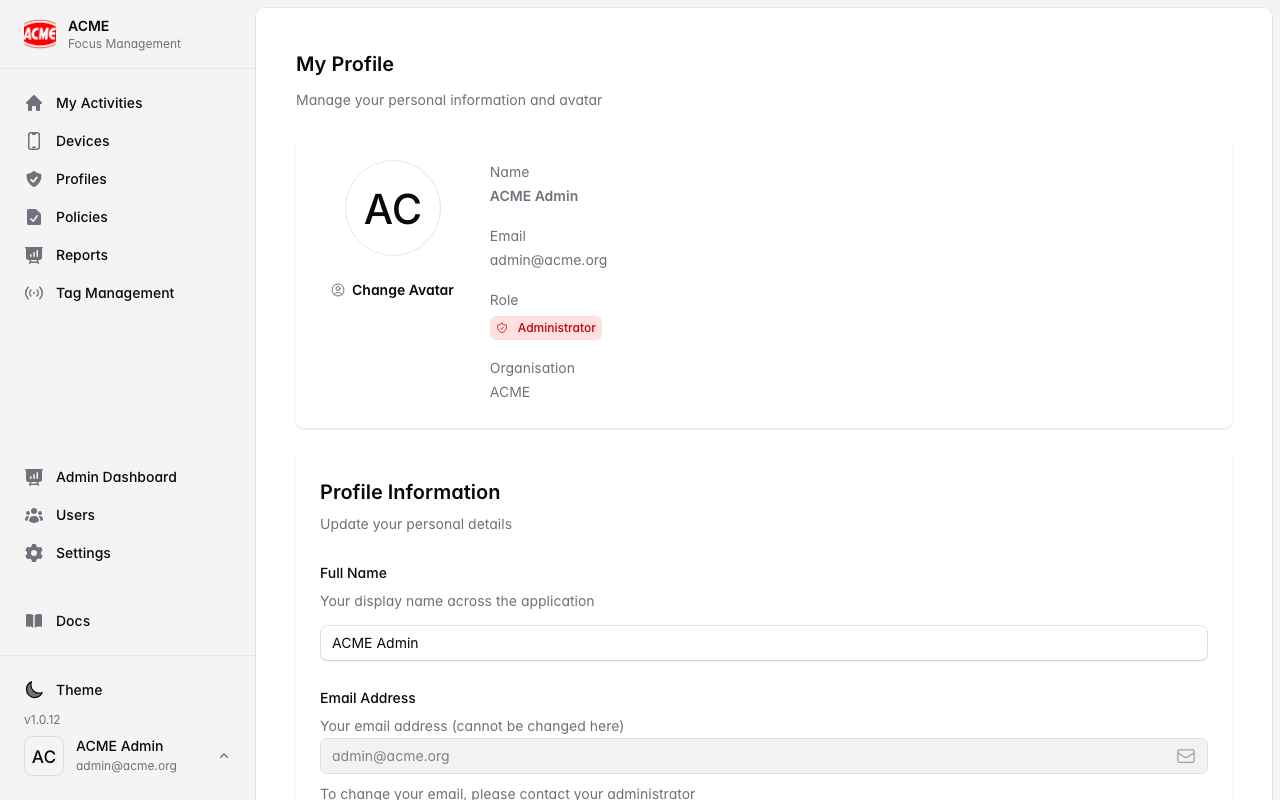
Name

Your display name, shown to admins in your organisation.

Email

The address you sign in with and receive notifications at.

Password

Change your password, or set one if you signed up with Google.

Avatar

An optional profile picture.

Update your details

1

Open your profile

Select your name/avatar (usually top‑right) and choose Profile or Account.
2

Edit and save

Update your name, avatar, or other details and save.
Change your password

1

Go to security settings

In your profile, find Password / Security.
2

Set a new password

Enter a strong new password and confirm.
Forgot your password? Use Forgot password on the sign‑in screen to reset it by email — no admin needed.

Your role

Your role (Admin, Tag Admin, or Member) is set by an administrator and determines what you can do. To change your role, ask an admin — see User Management.

Signing out everywhere

Signing out of the web app or the mobile app ends your session on that device. If you think your account is compromised, change your password — this is the quickest way to protect your account.